We've shipped one of the most requested features since launching ClickStack: Role-Based Access Control (RBAC) for Managed ClickStack. ClickStack RBAC allows teams to define permissions based on roles and control who can access specific resources such as dashboards, saved searches, and notebooks. Access can be granted at a broad level or scoped down to individual resources, while also governing who can create, modify, or manage key features across the platform.
This ensures the platform is enterprise-ready and also lays the foundation for more advanced access controls, with future updates planned to expand RBAC capabilities such as row-based access control.
Before RBAC, all ClickStack users belonged to the same group and shared the same permissions across the application, with no way to differentiate access between users or teams within a single instance.
To introduce any level of isolation, teams had to rely on separate HyperDX instances. Each instance would be configured with its own connection credentials and data sources, effectively segmenting access at the environment level rather than within the product itself. While this provided a workaround for restricting access to underlying data, it came at the cost of duplicated setups and increased operational overhead.
This model didn’t scale to real-world teams. It offered no way to control access to specific dashboards, enforce read-only permissions, or limit access to features such as dashboard creation or notebooks. It was clear a more flexible and centralized approach to access control was needed.
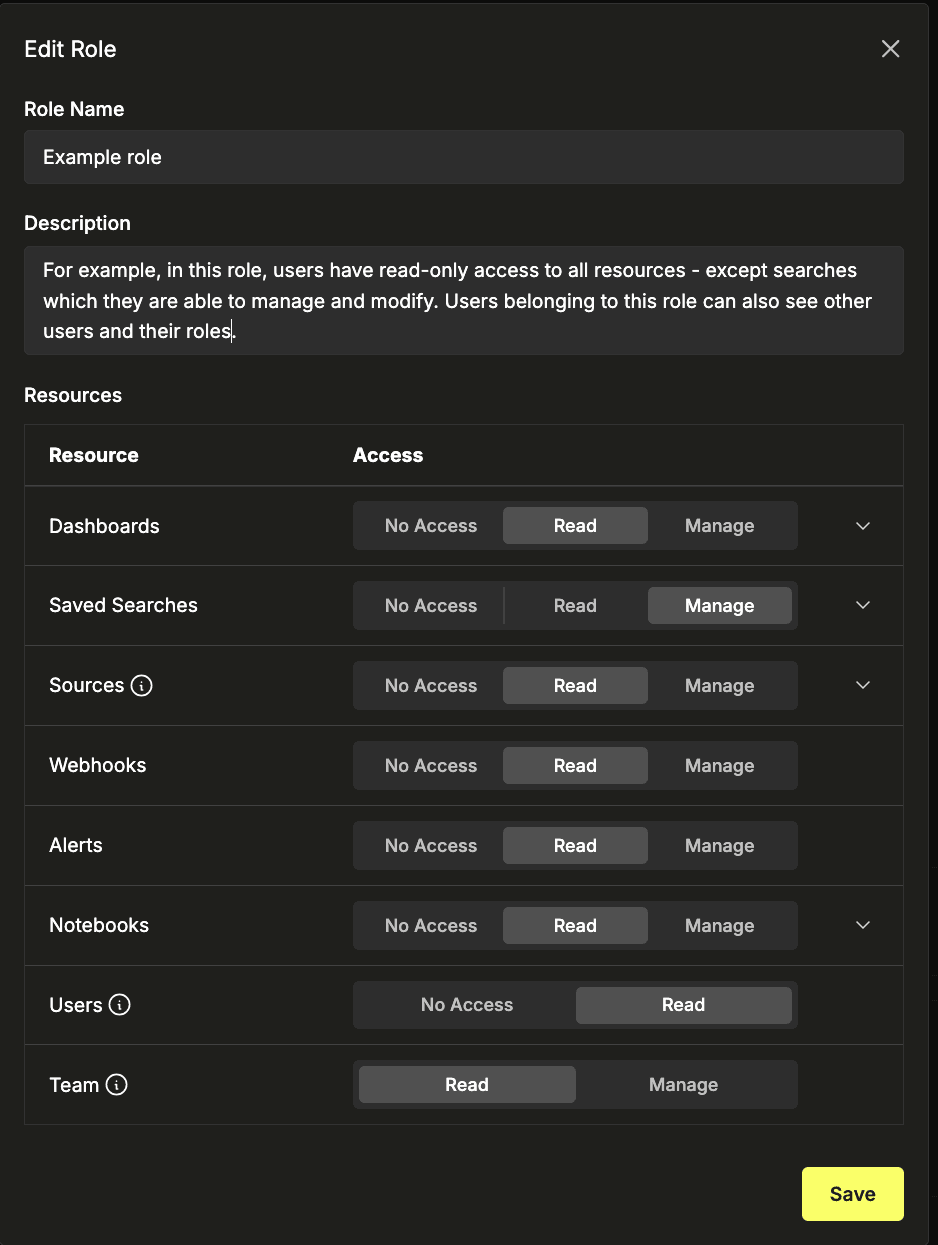
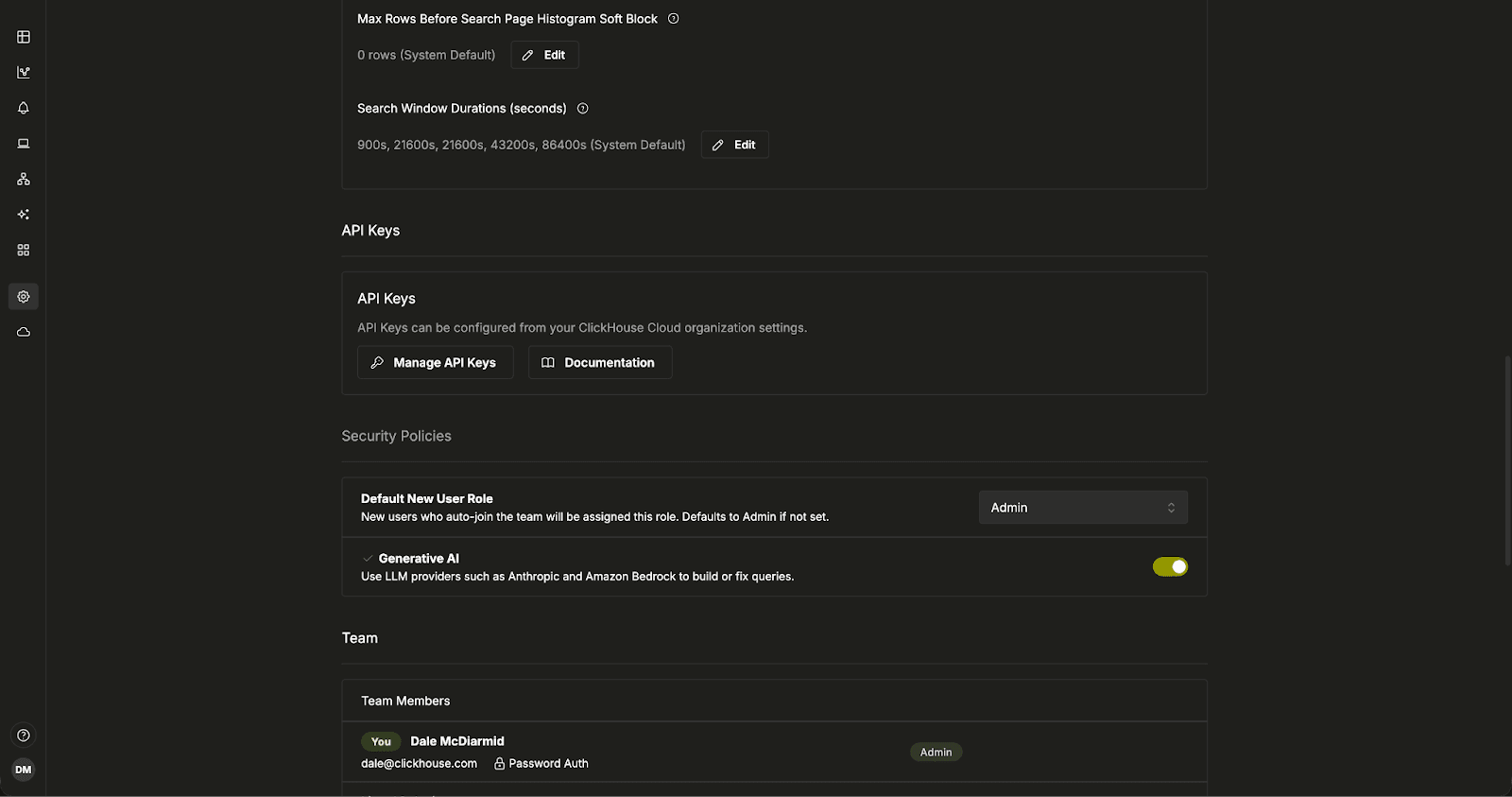
Based on feedback from our users, it became clear that ClickStack needed a more flexible, group-based approach to access control. At its core, RBAC introduces the ability to define roles and assign users to them, with each role governing access to key resources across the platform. These include dashboards, saved searches, sources, alerts, webhooks, and notebooks.
For each resource type, roles can be assigned one of three access levels: no access, read, or manage. This model covers the majority of use cases, allowing teams to control who can view data, who can make changes, and who has full control. Manage access enables users to create, edit, and delete resources, while read access ensures visibility without the risk of modification.
Beyond resource access, RBAC also introduces administrative controls at the role level. Teams can define which roles are allowed to view team members and their assigned roles, while restricting sensitive actions such as managing users and permissions to admins only. This ensures a clear separation between users who consume data and those responsible for governing access.
Get started today
Interested in seeing how Managed ClickStack works for your observability data? Get started in minutes and receive $300 in free credits.
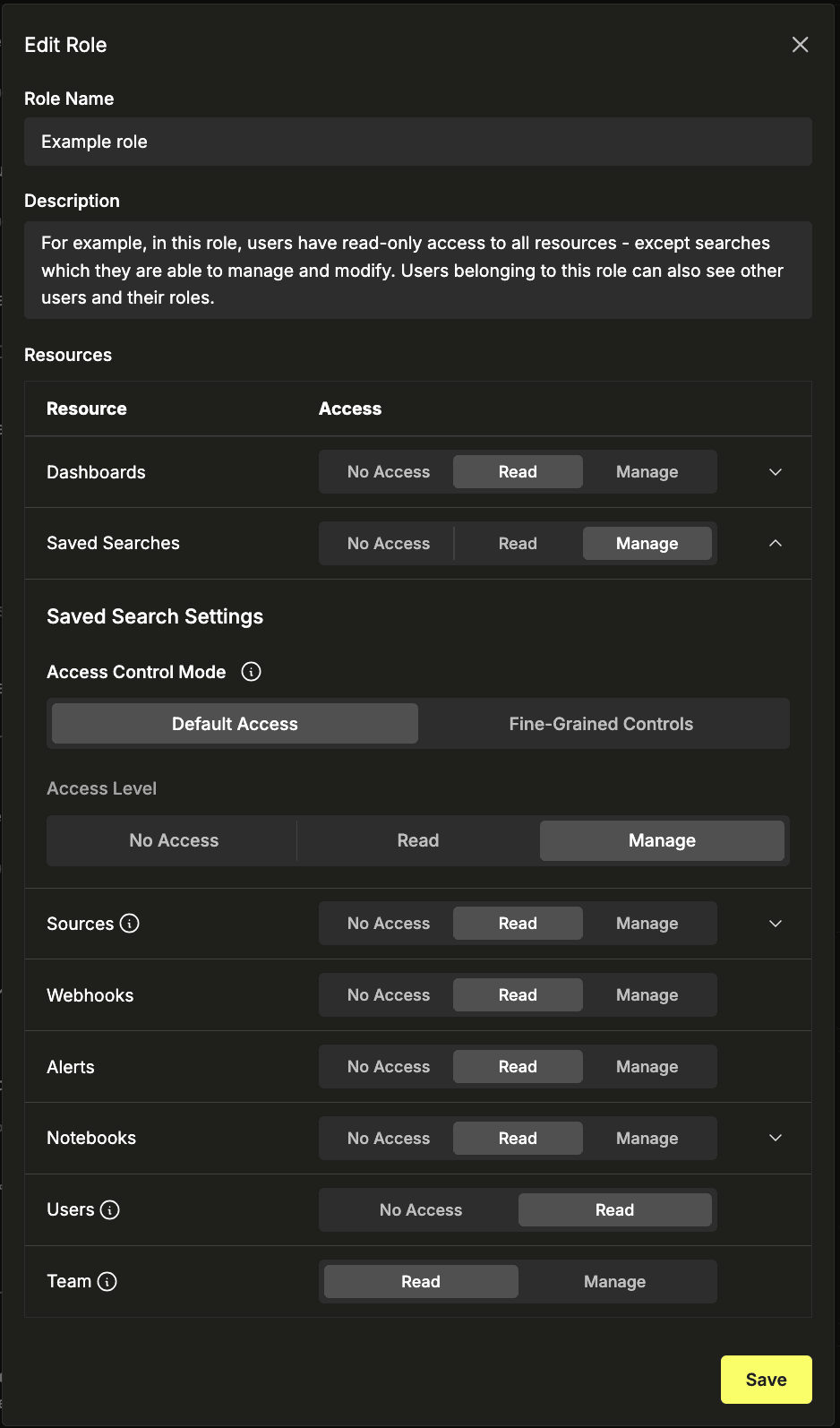
While the ability to assign no access, read access, or manage access at a resource level provides a strong foundation, many teams require more precise control. For this, RBAC in ClickStack supports fine-grained access rules, allowing permissions to be scoped down to specific resources rather than applied uniformly.
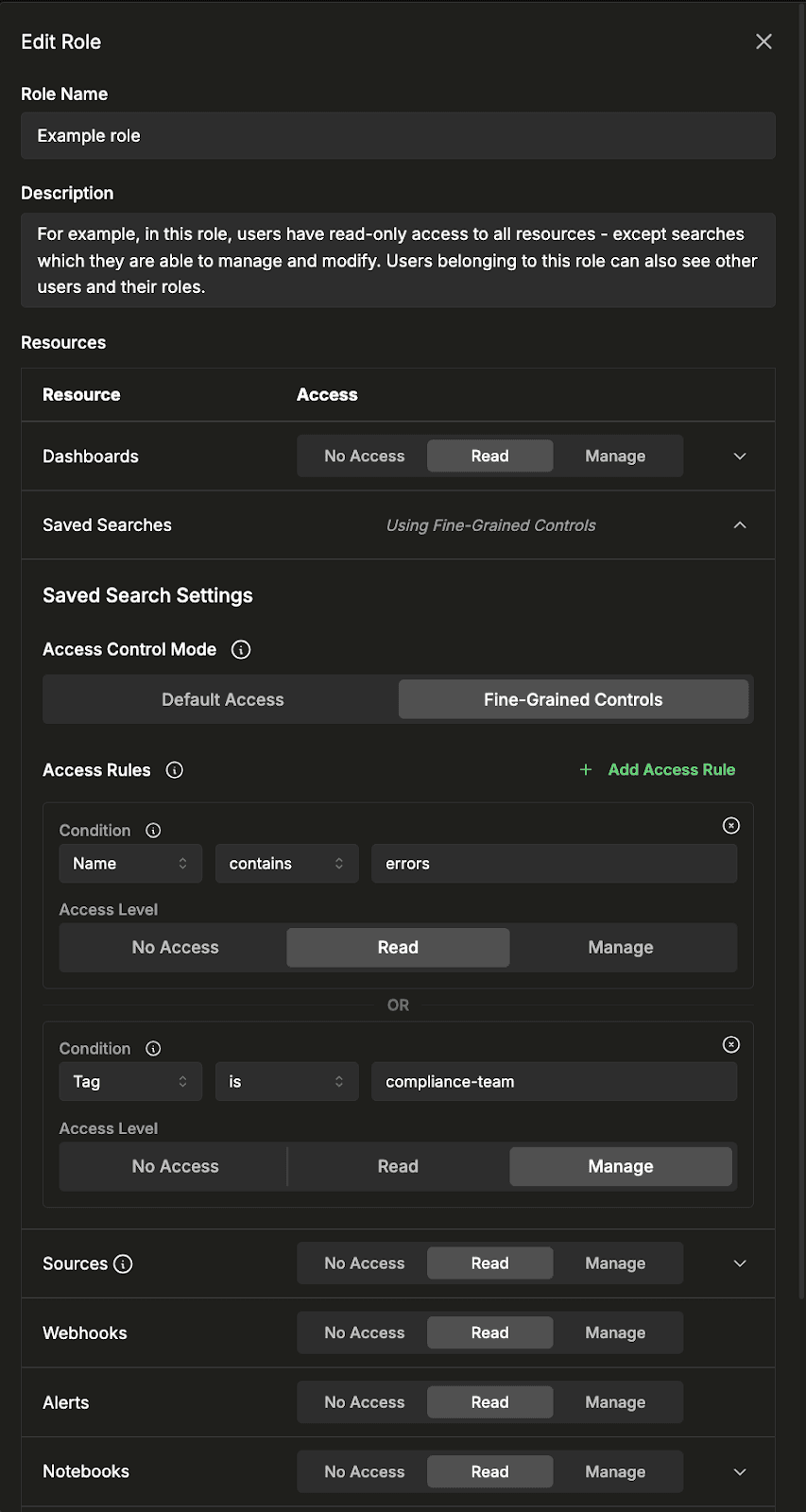
By default, each resource type uses a single access policy that applies to all resources. Switching to fine-grained controls allows roles to define multiple access rules, each evaluated independently. A resource is accessible to users who belong to the group, if it matches any rule, while resources that do not match remain inaccessible. This makes it possible to selectively expose only assets relevant to a given team or role.
Access rules can be defined using resource attributes such as name, ID, or tags. For example, above the role has been granted read access to all saved searches containing the term “errors”, as well as managed access to any searches tagged with a specific team label. Each rule specifies both the matching condition and the level of access, enabling a flexible and targeted permission model. This same fine grained filter can be applied to dashboards, sources, and notebooks.
For a full definition of the supported filtering conditions, see the RBAC documentation.
RBAC in ClickStack is designed to work seamlessly with ClickHouse Cloud, ensuring that user management and permissions remain consistent across the platform. Users are managed at the ClickHouse Cloud level, where they are invited to an organization and assigned baseline access through the Cloud console.
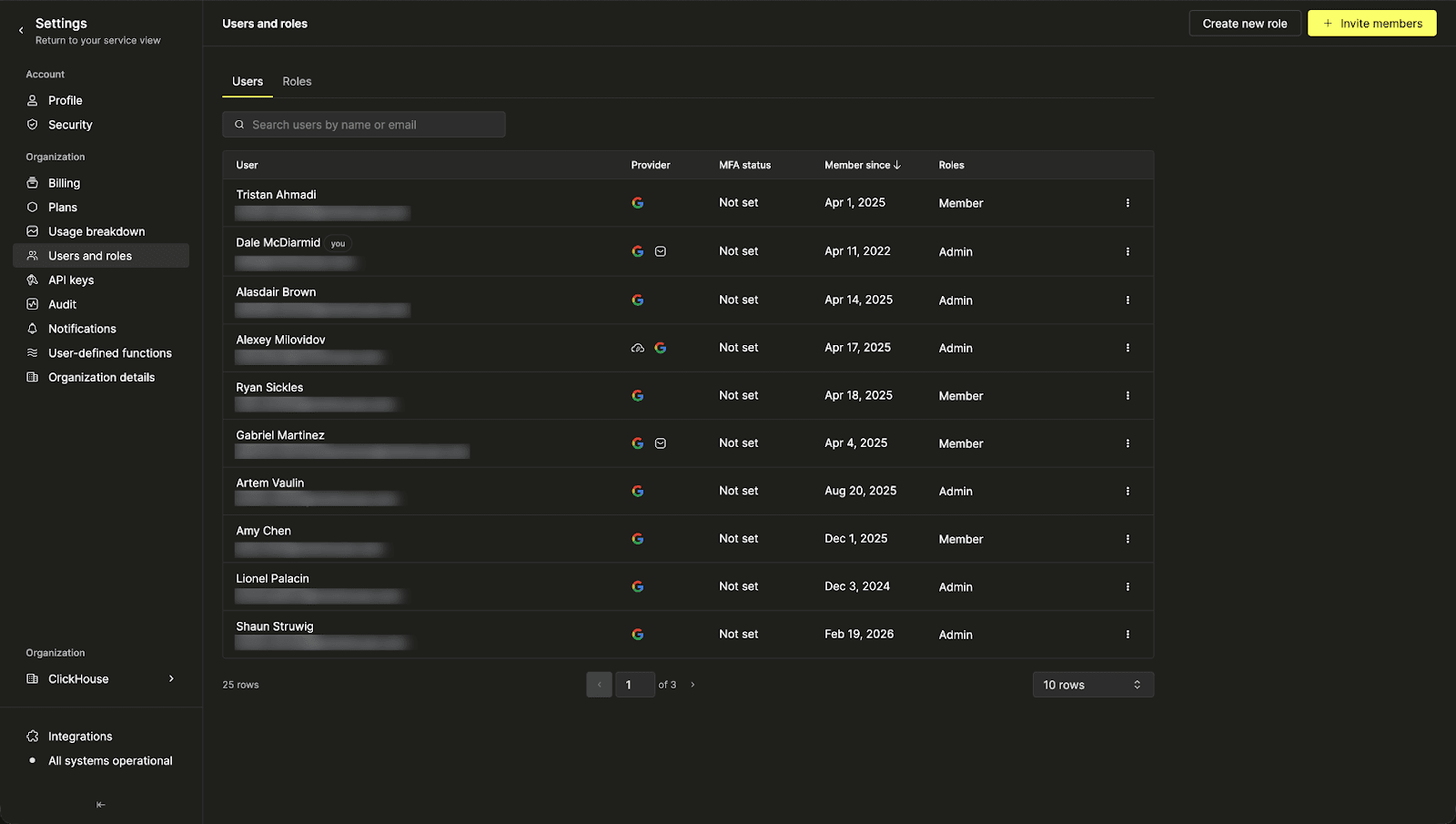
Once a user has access to a ClickHouse Cloud as a member, they become available in the ClickStack Team Settings UI, where roles can be assigned. Users must have at least SQL console read-only access to use ClickStack, while full administrators require SQL console admin access - necessary to enable features such as alerts.
This model keeps user lifecycle management centralized in ClickHouse Cloud, while ClickStack focuses on role-based permissions within the application itself. In practice, this means teams manage who a user is and what they can access at the Cloud level, then use ClickStack roles to control what that user can see and do within observability workflows.
To make this experience as seamless as possible, new users are assigned a default role - this can be configured within the ClickStack team settings.
This release establishes the foundation for RBAC in ClickStack, but it is only the first step. While it introduces structured control over features and resources, it is clear that access policies need to become more granular as well as extending beyond the application layer into the data itself.
Today, restricting access at the data level typically involves configuring permissions in ClickHouse and mapping these to specific connections and sources. In practice, ClickStack sources map to tables, and access can be limited by controlling which roles can see or use those sources through the fine-grained permissions described above. This works well for scenarios where access needs to be restricted at the table level.
However, row-level access introduces additional complexity. In this scenario, different roles have access to different rows in each source, typically defined through SQL filtering conditions e.g. “only access logs for the payment Service”.
To achieve this today, administrators must manage access through ClickHouse itself by assigning roles to individual SQL console users. These roles follow a pattern of sql-console-role:<email> and define the permissions that control access to specific datasets for each user. These SQL console users are exposed in ClickStack, where they can be assigned to a ClickStack role as described earlier.
While this enables a level of control, it introduces a split model, with roles defined both in ClickHouse and separately in ClickStack, requiring administrators to coordinate permissions across both layers. As the number of users and roles grows, this quickly becomes difficult to manage and does not scale effectively.
Our goal is to bring this level of control directly into ClickStack. Future updates will focus on enabling more fine-grained data access and the ability to define filtering conditions at the role level to support these row-level access requirements. This will allow teams to manage both application and data access in a single place, without relying on fragmented or manual workarounds.
RBAC marks an important step forward for ClickStack, bringing structured, scalable access control to both resources and workflows within the platform. By introducing roles, fine-grained permissions, and seamless integration with ClickHouse Cloud, teams can now manage access with far greater precision while reducing operational overhead.
We plan to continue to expand these capabilities to cover even more granular data access. Stay tuned for future updates.
Share this post
Subscribe to our newsletter
Stay informed on feature releases, product roadmap, support, and cloud offerings!